What is a “surgical” deployment?
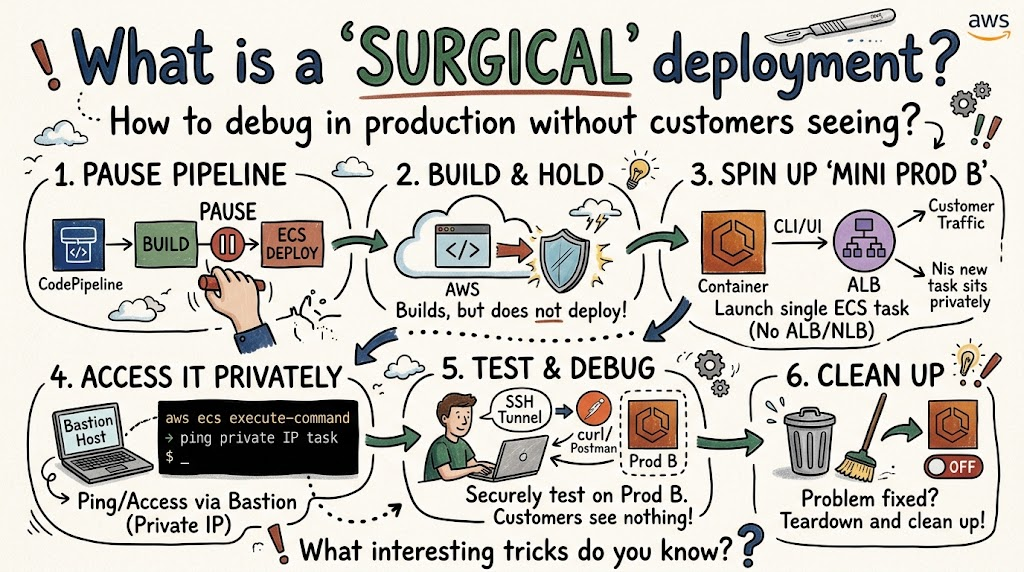
Recently, I got called in to help fix an anomaly in a production environment.
Code that was working perfectly well on our test and staging environments when rolled to production was not working as expected.
If the devs rolled it out and left it there so they could debug it on production, it would have degraded the customer-facing functionality in a way that was unacceptable.
That begs the question: How do you debug something in production without letting your customers see it?
In a perfect world, you would have 2 production environments you could route traffic between, but I will get into that more later.
What happens when you don’t have the ability to A/B swap and that code needs to go live ASAP?
Allow me to introduce you to a technique I call “Surgical Deployments”.
The way I describe it here, it will work with AWS ECS, ALBs, and CodePipeline, but it could be adapted to a lot of other tech stacks.
Step 1: Go into CodePipeline and pause the transition after the build step but before the ECS deployment step that triggers the actual deployment.
Step 2: Send up the offending code so it builds, but monitor it to ensure it does NOT send the ECS deployment.
Step 3: Either in the UI or the CLI manually, boot up a single ECS task in your production environment with the exact same Task Definition and network conditions as your production ECS service, but do not attach it to any ALB/NLBs, etc.
Step 4: Grab the new (ideally private) IP of the ECS task and ping it from the bastion. You may need to whitelist your bastion’s security group. Or, if you have it set up, use aws ecs execute-command to get CLI access to the task and ping itself on port 80 or whatever your traffic port is.
At this point, you have effectively created a mini one off “Prod B” env that only you can bang on as long as you want without any customer facing traffic hitting it.
Step 5: Depending on your setup, you can just do an SSH tunnel and mount the traffic port on your local machine so you can browse your new Prod B by hitting it with curl, Postman or your browser.
If you need more than that, consider spinning up a Prod B ALB or adding an additional listener rule/target group.
Step 6: Once the problem is fixed don’t forget to clean up.
I did 4 of these last week, and it only took about 5 minutes per service to boot up and about the same to shutdown.
Sure, it takes a little extra time, but if the cost of downtime is high and the deployment is risky, it's a small price to pay.
Question for you:
Do you know any interesting tricks like this?